How OBJ Changed my Mind on File Formats
For a tiny game I'm working on, I wanted to make a large spherical 3d boundary to indicate the out-of-bounds zone. I thought a nice big low-poly icosphere with transparent faces and bright red edges would fit perfectly with the art style of my game, but I had one problem: I had no idea how to make such a thing in Blender. Don't get me wrong, I knew exactly what data the 3d model files had to contain in order to make my 3d model work, I just didn't know what sequence of buttons to click in Blender to make it spit out the file I wanted. Fortunately, I had an idea: why don't I just write the 3d model from scratch as an OBJ file?
For context, the OBJ file format is a simple text-based file format for 3d models that is widely supported across 3d programs, including Godot, the game engine I'm using. It's an easy to read and understand format, the perfect foundation to build on. Instead of navigating Blender's confusing menus, I could just type the right numbers into a text file and be done.
The plan was simple:
- Write a python script to compute the vertices of an icosahedron.
- Compute additional vertices obtained by subdividing the icosahedron.
- Normalize the positions of the vertices.
- Define the faces with the correct orientation.
- Define the UV coordinates of every face to be a simple equilateral triangle.
- Create a texture file or fragment shader that gives the above equilateral triangle a red stroke and transparent fill.
Thankfully, before I did all that work, I remembered that I could just have Blender export an icosphere (one of their built-in models) as an OBJ file and the only thing I would have to change is the UV coordinates.
So the plan became simpler:
- Have Blender do all the hard work for me (produce an OBJ file of an icosphere).
- Change the UV coordinates to map every face to an equilateral triangle.
- Create the texture file or fragment shader I mentioned before.
After exporting the icosphere as an OBJ file and cleaning it up, I was left with a text file that looks like this:
v 0.000000 -1.000000 0.000000
v 0.723607 -0.447220 0.525725
v -0.276388 -0.447220 0.850649
.
.
.
v 0.052790 -0.723612 0.688185
v 0.138199 -0.894429 0.425321
v 0.361805 -0.723611 0.587779
vt 0.181819 0.000000
vt 0.204546 0.039365
vt 0.159092 0.039365
.
.
.
vt 0.204546 0.118096
vt 0.227273 0.078731
vt 0.250001 0.118096
vn 0.0482 -0.9878 0.1482
vn 0.7230 -0.5545 0.4121
vn -0.1261 -0.9878 0.0916
.
.
.
vn 0.4674 -0.7594 0.4526
vn 0.5087 -0.6369 0.5792
vn 0.6153 -0.5545 0.5603
f 1/1/1 16/2/1 15/3/1
f 2/4/2 18/5/2 24/6/2
f 1/7/3 15/8/3 30/9/3
.
.
.
f 17/204/318 18/205/318 162/203/318
f 162/203/319 18/205/319 19/163/319
f 18/205/320 2/4/320 19/163/320
At the top (the lines that start with v), we have the list of vertices that make up the icosphere. Next, we have a list of uv coordinates (the lines that start with vt, which stands for "vertex texture"). After that, we have a list of normal vectors (the lines that start with vn, which stands for "vertex normal"). Finally, we have a list of faces (the lines that start with f) where each vertex of the face is defined by a triple of indices indicating the vertex, uv coordinate, and normal vector to use in the above lists.
Our goal is to change the uv coordinates of each face to an equilateral triangle, which seems simple enough. All we need to do is replace the "vt" lines with ones defining an equilateral triangle and replace the uv coordinate indices of each face with 1, 2, and 3. Also, because I am planning for the icosphere to be unshaded in my game, we can discard the vertex normals. After making these changes with a simple python script, our text file looks like this:
v 0.000000 -1.000000 0.000000
v 0.723607 -0.447220 0.525725
v -0.276388 -0.447220 0.850649
.
.
.
v 0.052790 -0.723612 0.688185
v 0.138199 -0.894429 0.425321
v 0.361805 -0.723611 0.587779
# uv coordinates form an equilateral triangle
vt 0 0.05
vt 1 0.05
vt 0.5000 0.9160
f 1/1 16/2 15/3
f 2/1 18/2 24/3
f 1/1 15/2 30/3
.
.
.
f 17/1 18/2 162/3
f 162/1 18/2 19/3
f 18/1 2/2 19/3
(note that lines starting with a # are comments, so they are ignored)
I imported this file into my game environment using the Godot icon as a texture and saw this:
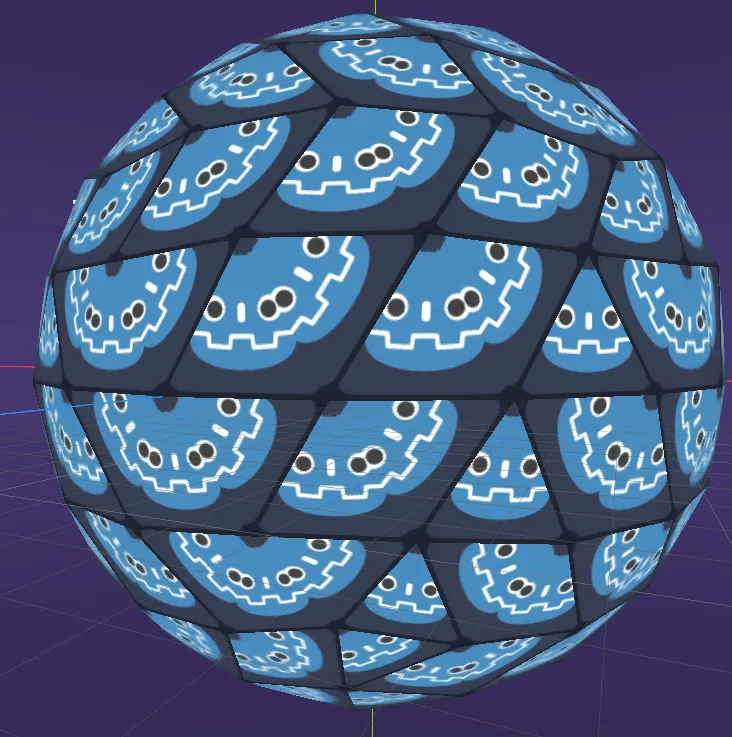
Perfect! Now all we need is our triangle texture! In keeping with the theme of writing/editing text-based files by hand, I thought it would be fun to create our texture by writing an SVG file! I had no clue how to do this, but thankfully, Mozilla has a nice tutorial for writing SVG files from scratch. All we need is a simple polygon with a red stroke and transparent fill whose vertices match the uv coordinates we put in the OBJ file. Note that SVG uses a y-axis that starts at the top of the image and points down, whereas OBJ texture coordinates have a y-axis that starts from the bottom and points up, so it is necessary to flip the y-coordinates and multiply by the scale of the image (I chose 100). The red I chose is the one from a "neon space" color palette I found online that I am planning to use for the majority of my game. This is the SVG file I came up with:
<svg width="100" height="100"
     xmlns="http://www.w3.org/2000/svg">
    <polygon points="0 95, 100 95, 50 8.4"
             stroke="#df0772" fill="transparent" stroke-width="10"/>
</svg>

Even though Godot lets you use an SVG as the texture of a 3d model, it does not respect the transparency of the texture. In order to get the 3d model to display correctly, I had to use GIMP to convert it to a raster image. The results look great!
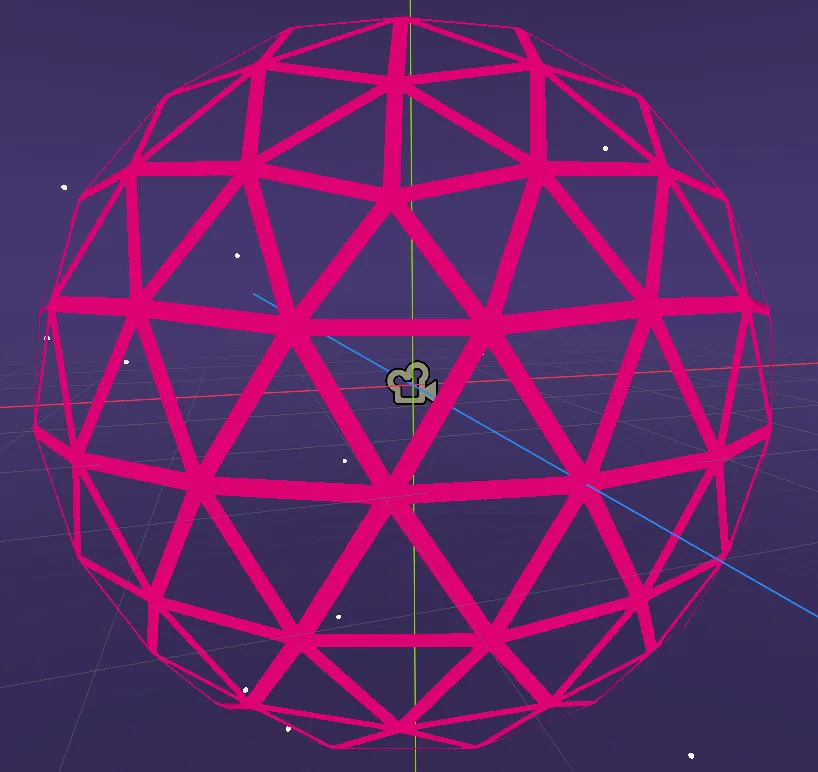
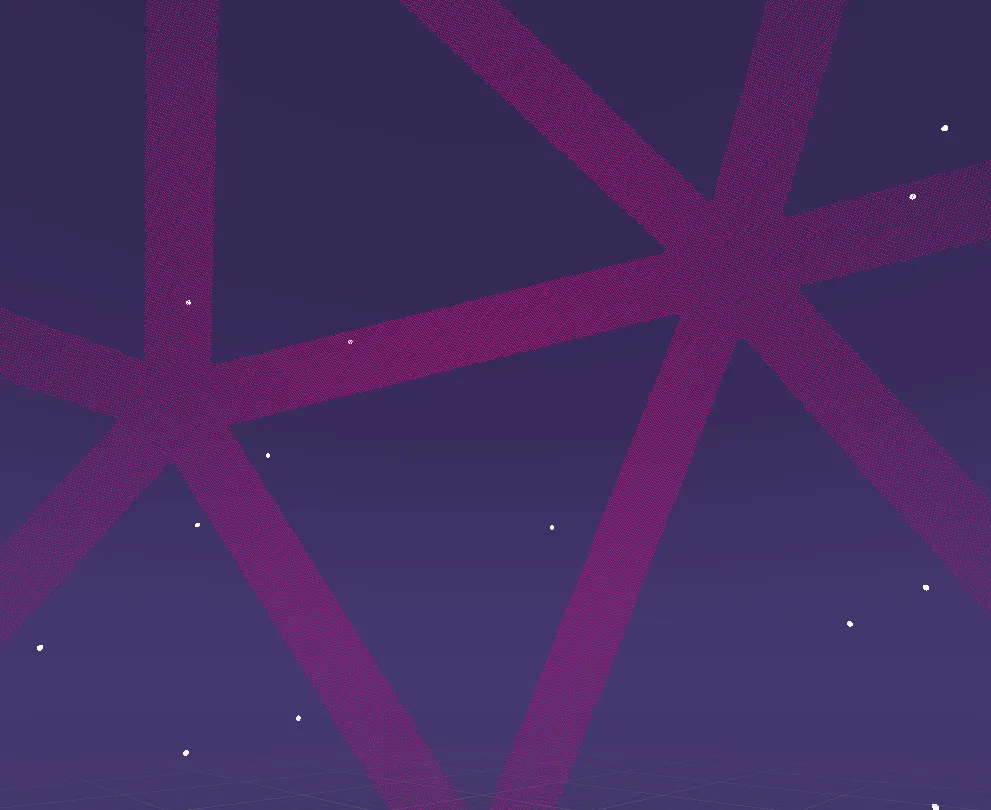
Unfortunately, it's not quite perfect. Because the texture of the sphere has to be a raster image, the diagonal lines along the triangle texture appear jagged up close. To make these lines sharp, I should really be using a fragment shader to draw the texture rather than my rasterized SVG, or I should modify the mesh to exclude the transparent parts of the texture and just make the texture a solid color. However, considering that this game is just a small personal project, I am satisfied with how it looks right now. If this project ever sees the light of day, I will fix it.
I should also note that I wanted the sphere to be visible on both the inside and the outside. At the time of writing, Godot does not support double-sided faces on 3d models, so instead I had to create a second copy of the model with all of the faces flipped! If you don't already know how to do that in an OBJ file, see if you can figure it out!
I also applied Godot's dither proximity fade to the reversed mesh, and I must say, the effect is so nice.
I spent far longer than I would like to admit thinking that 3d model creation was locked behind complex, arcane programs like Blender. Why didn't I realize sooner that making a basic 3d model could be as simple as typing text into an editor? I write files in other text-based file formats all the time. I've written HTML files, LaTeX files, and code files in multiple programming languages before. Heck, I'm writing this blog post in markdown right now! I already knew about the OBJ file format, too. A while back, I had to edit an OBJ file that blender spit out in order to fix a broken path in the file. Despite all of that, it never occurred to me that I could create a working 3d model in a text editor. The experience has changed the way I see file formats! Before I only ever saw them as tools to be used by external programs, but now I see that file formats can be tools in their own right! Just like programming languages, they are platforms for creating new things, whether or not they were intentionally designed as such.
If you like to make things on the computer and you've never edited a text-based file format by hand before, then you should really try it! It's magical to see some text you wrote in a text editor suddenly become a thing you can see or even interact with as soon as you compile it, import it into your software, or change the file extension. If you have written text-based files before, try a new format! If you've written markdown before, try HTML! If you've written HTML before, try SVG! If you want to learn about 3d models, try writing an OBJ file from scratch! It's the quickest way to understand what data defines a 3d model, which is great knowledge to have, even if you never write a 3d model from scratch again.